
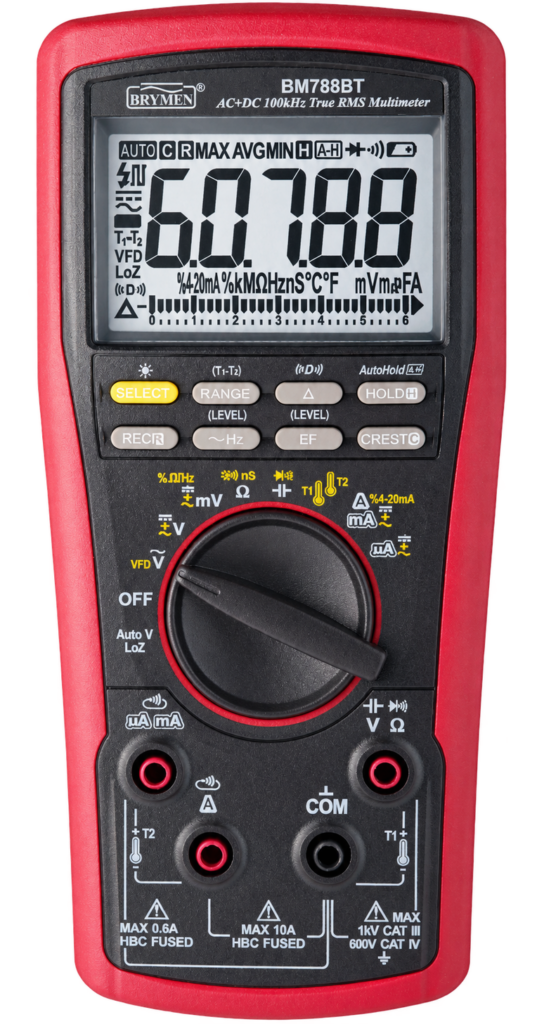
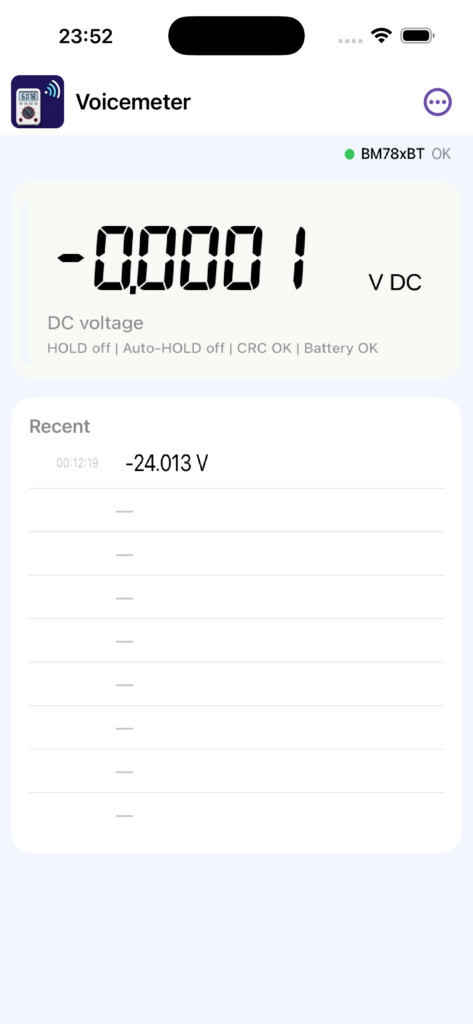
Voicemeter is available for Android and iOS. It connects to your Bluetooth multimeter, displays its measurements on your phone, and reads held values aloud. It is designed for engineers, technicians, students, and electronics users who need hands-free measurement feedback while working with probes, components, batteries, circuits, or equipment.
The app connects to a supported Bluetooth multimeter, shows the live measurement on a large multimeter-style display, detects stable held values in the app, speaks the value using Android/iOS text-to-speech, and keeps a short recent measurement list with timestamps.
Main features
- Bluetooth Low Energy connection to supported multimeters
- Large multimeter-style display with value, unit, mode, battery, and connection status
- App-side Auto-HOLD style detection for stable measurements
- Beep and spoken announcement when a stable value is captured
- Configurable spoken resolution: 0, 1, 2, or 3 digits after the decimal point
- Recent measurement list with timestamps
- Saved meter connection and automatic reconnect
- Settings screen for Bluetooth scan, meter connection, and speech resolution
- Designed for practical hands-free measurements in electronics work
Supported instrument types
Voicemeter currently focuses on the Brymen BM788BT Bluetooth multimeter. Support for additional Bluetooth multimeters will be added later if their communication protocol is available or can be decoded.
Bluetooth connection
The app communicates directly with the multimeter over Bluetooth Low Energy. The phone must have Bluetooth enabled and must grant the required nearby device permission.
Measurement and speech
For best results, use the multimeter with its own Auto-HOLD function disabled. Voicemeter performs local stable-value detection in the app. When a value becomes stable, the app freezes the displayed value, beeps, speaks the measurement, adds it to the Recent list, and then returns to the live reading.
Usage notes
- Speech output uses Android/iOS text-to-speech on the phone.
- The app does not require an internet connection for normal use.
- Keep the phone close enough to maintain a stable Bluetooth connection.
- Open-lead and near-zero values are filtered for supported modes to reduce false hold captures.
- Supported functions and accuracy depend on the connected multimeter and decoded Bluetooth data.
Third-party software
The seven-segment display uses a bundled seven-segment font. Speech output uses the Android/iOS text-to-speech engine available on the phone.